Application tracker
Track your job applications – without spreadsheet chaos
From the fifth application on you lose track: which version of the CV went where, who wanted to call back when, where do I follow up? Pathly keeps jobs, documents and status in one place.
Start free · No credit card required
What every application tracker needs
Whether Pathly, a spreadsheet or a notebook: these fields turn a list into a tool.
- Company and job title, plus the link to the posting. Postings often vanish after weeks.
- Date of the application and the route: portal, email, unsolicited.
- Contact person and details, if available.
- Status: planned, applied, interview, offer, rejection.
- Which version of CV and cover letter you sent.
- Next action with a date, such as “follow up on the 14th”.
- Notes from calls and interviews while you still remember them.
What Pathly makes of it
Collect jobs
With the Chrome extension every posting lands in your queue with one click, including tasks, requirements and keywords.
Documents per job
The CV version and cover letter stay attached to the job they were written for.
Status at a glance
You see where each application stands and what is next.
Interview preparation
For jobs with an invitation you start a mock interview for the same posting right away.
How to use the queue
Save the job
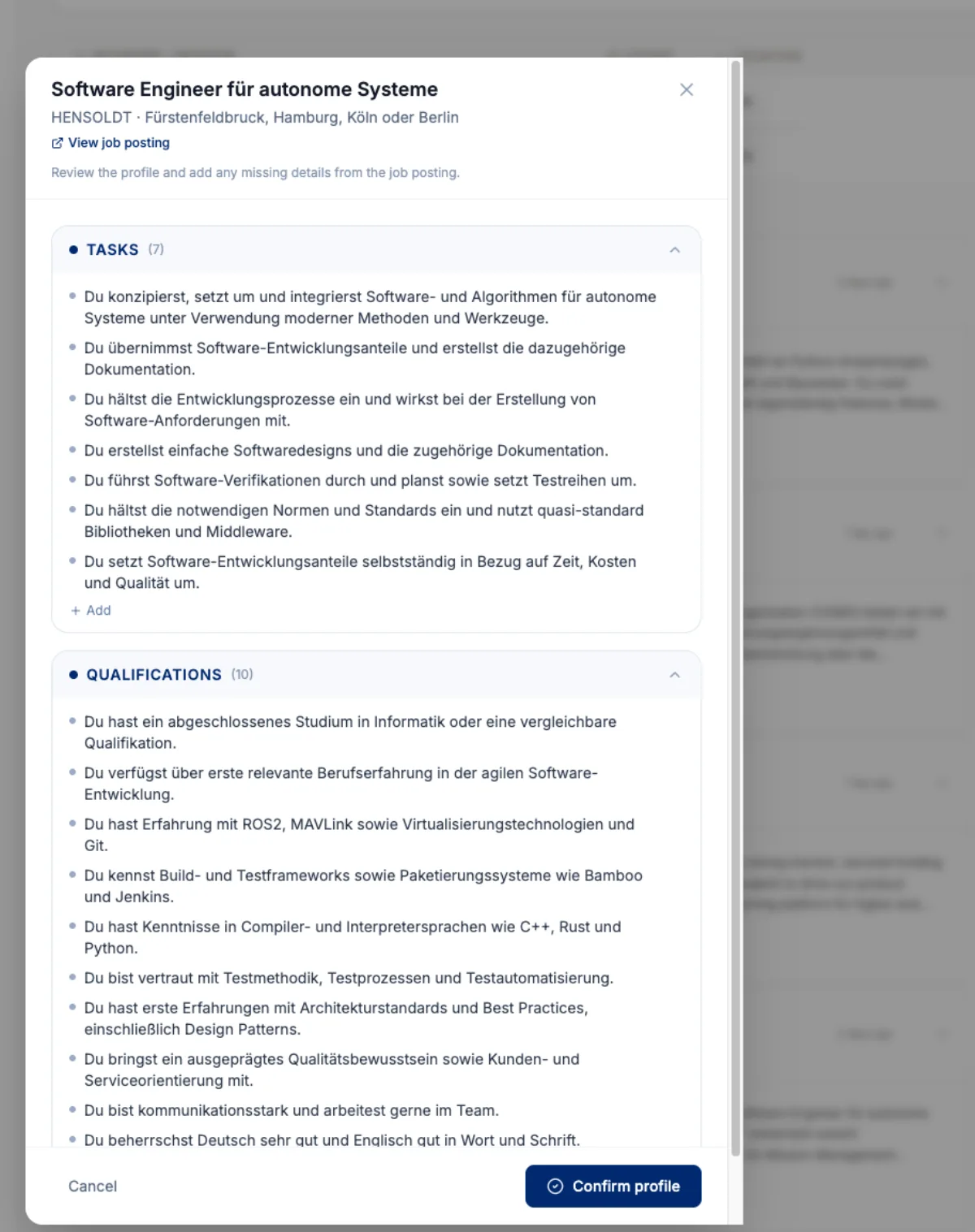
Paste a link, paste text or use the extension. Pathly creates a job profile.
Check the profile
You confirm tasks and qualifications. If something is missing, you add it.
Adapt your documents
Resume and cover letter are created right at the job.
Keep the status
You send things yourself and note what happened. The queue reminds you of open steps.
Frequently asked questions about application tracking
How many jobs can I save?
That depends on your plan. On the free plan applications and job extractions are limited; you can see the current limits in the app.
Can I also save jobs from LinkedIn and StepStone?
Yes, with the Chrome extension you save postings from LinkedIn, StepStone, Indeed and many career sites.
Can anyone see my application list?
No. Your queue and your documents are visible only in your account.
Can I export or delete my data?
Yes. You can export your data or delete your account including data at any time.
Related
- Chrome extensionSave jobs from LinkedIn, StepStone and career pages to your queue with one click.Learn more →
- Automate job applicationsWhat is worth automating, and where you should decide.Learn more →
- Resume & ATS optimizationCV match with the job, ATS keywords and suggestions you accept or reject.Learn more →
- Interview coachingMock interview for the specific job with feedback on your answers.Learn more →
Try it with your next application.
Start for free. You decide at every step, the AI assists.